How to Set Up PayPal: Useful Information and Guides
Reliable and fast payments have come to the forefront in the 21st century. One of the first and most widely used payment methods on the internet is PayPal. Currently, this payment system has more than 200 million users worldwide. This payment option provides solutions catered to the needs of businesses and individuals.
The platform is an intermediary between sellers and buyers, ensuring the reliability of payments made with Visa, MasterCard, American Express, and virtual cards such as LinkPay.

The LinkPay virtual card generally allows you to pay online for any purchase with a 3% cashback on all purchases. You will learn how to set up PayPal and make payments in this review.
What Is PayPal and Its Features
The service operates in 202 countries, allowing customers to withdraw funds in 56 currencies. The system supports two types of accounts: personal and corporate. You should study the instructions on how to set up a PayPal account to learn more details about the virtual wallet.
The main advantage of this payment system is the possibility of instant international money transfers in several currencies. The user only needs to indicate the recipient's email or phone number to send money. When buying and selling goods in foreign online stores. The little charge ensures that consumers do not lose money due to currency rate fluctuations. All these services will not be available without profile activation.
Tired of PayPal declines? Get a LinkPay Virtual Card and start paying NOW!
💳 Instant setup | 🛡 Secure payments | 🚀 No hidden fees
How to Make Payments?
PP is one of the most popular and convenient platforms for making online payments. The payment system opens a window to secure and fast online shopping. The advantages of using PP include a high level of security, support for multiple currencies, and integration with major online platforms such as eBay, AliExpress, and many others.
Registering with PP opens up access to various options. It allows people to pay for items without requiring them to input payment information each time by linking a bank card or account. There is no particular knowledge needed to create a profile, it is a fast and simple procedure. To understand how to make a PayPal account. Follow the algorithm from the experts.
Step 1: Go to the official website
This is the first step to understanding how to get an profile:
-
Open your browser and go to the official website.
-
Locate the “Sign Up” button in the upper right corner of the page. On the screen, pop-up window will appear.
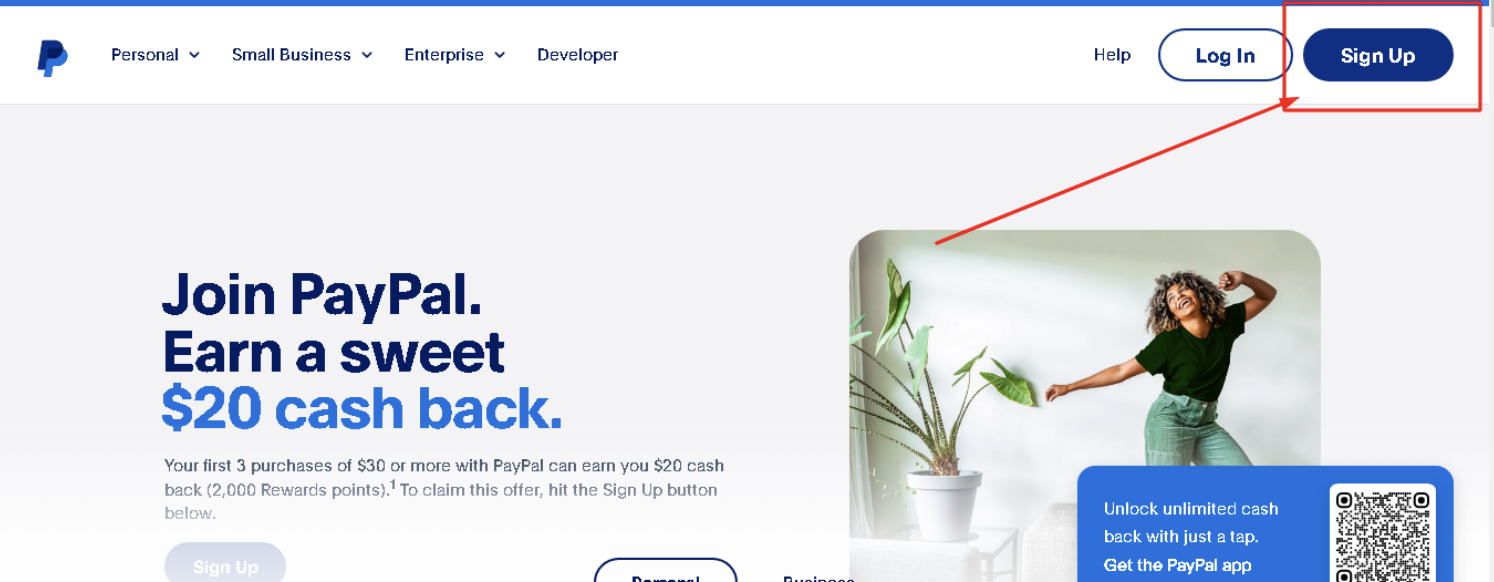
Now, you are one step closer to PayPal account creation.
Step 2: Choose a profile type
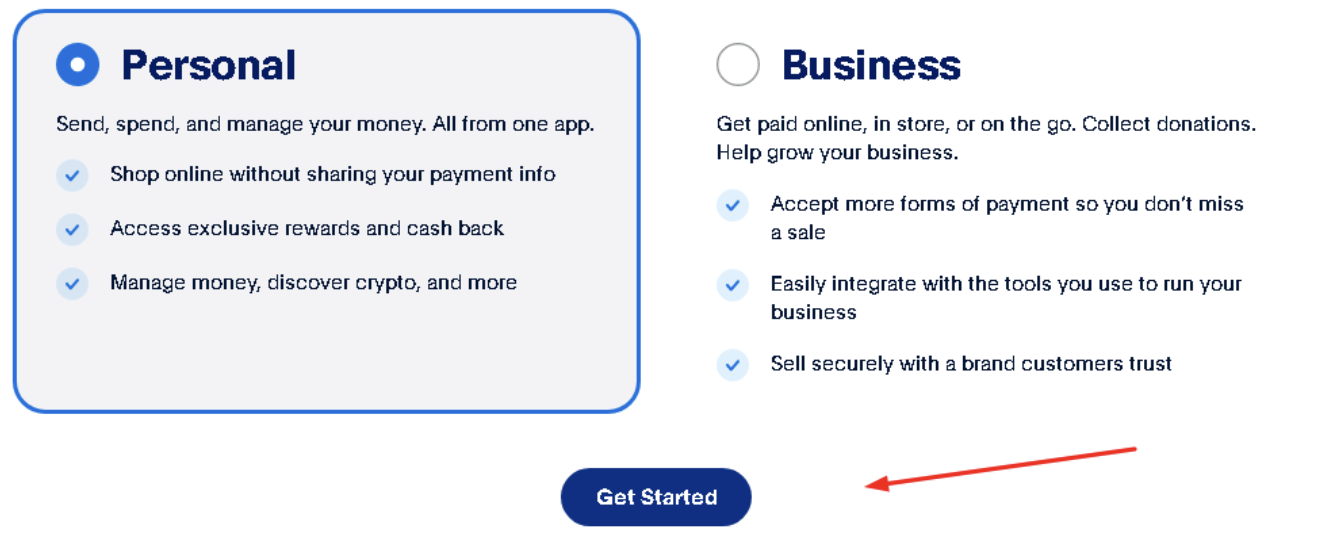
Now you have to choose a Personal or Business option:
-
Choose a preferable option.
-
Click “Get Started”.
A personal profile is fine if you plan to shop online and transfer money between individuals. For entrepreneurs, the business option is suitable.
Step 3: Select a region
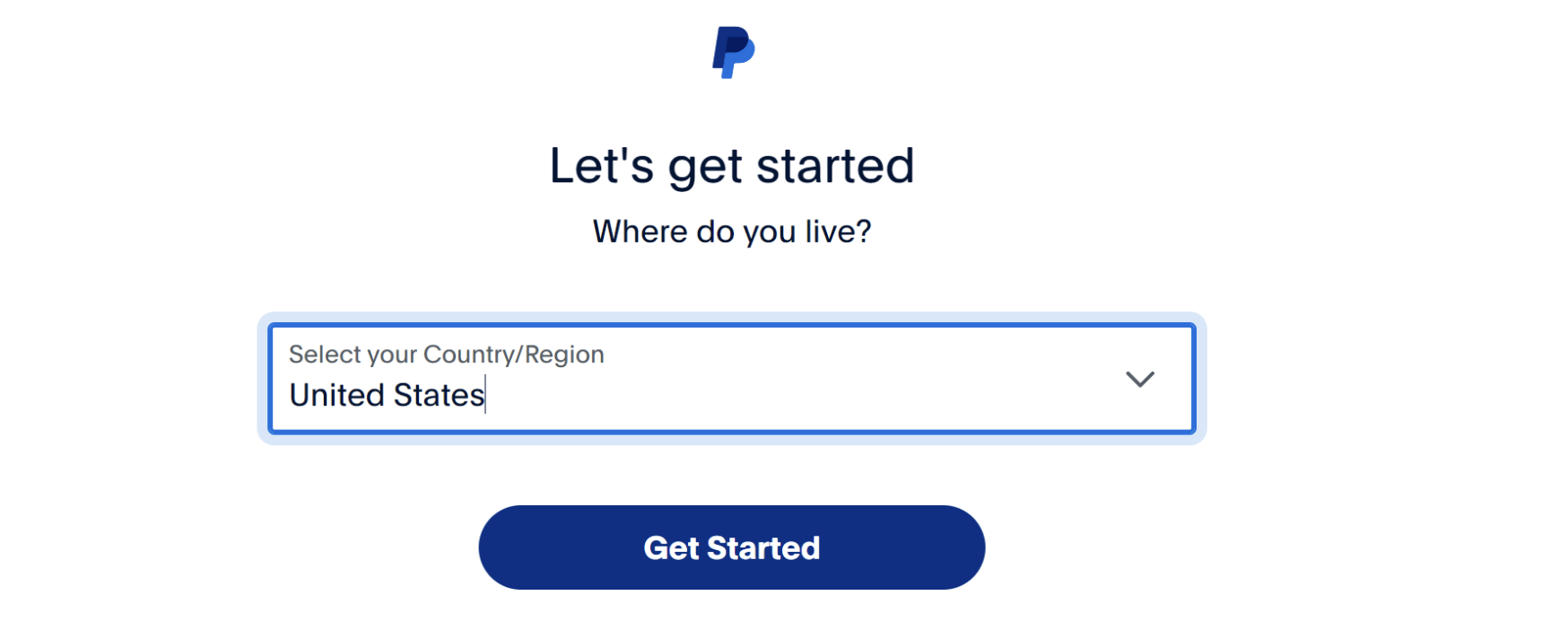
Click on the window that appears with the choice of country and select the option that suits you. Clients have access to many territories, allowing them to create a profile in most countries. Continue following the instructions "how to open a PayPal account". Now click “Get Started” again.
Step 4: Enter your email and phone number
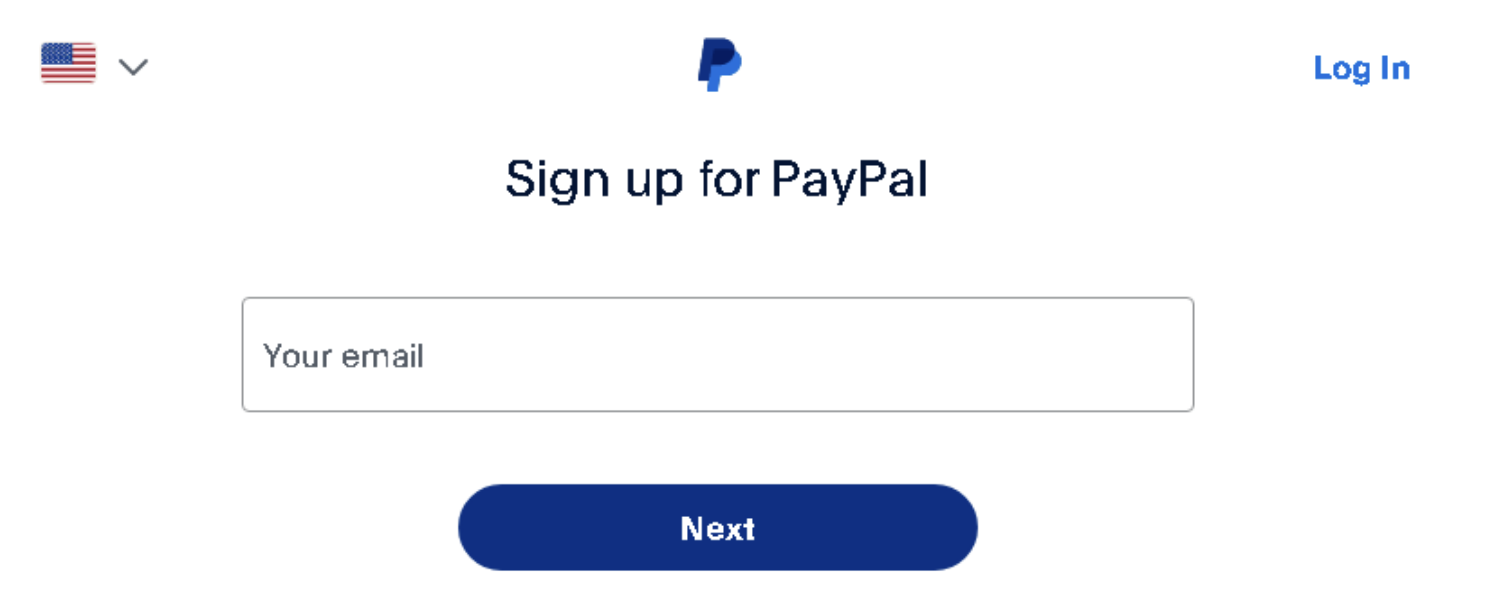
Be careful not to make a mistake while entering it. An email with an activation link will be sent to this email. In addition to receiving news and offers there, you will need to validate your email address.
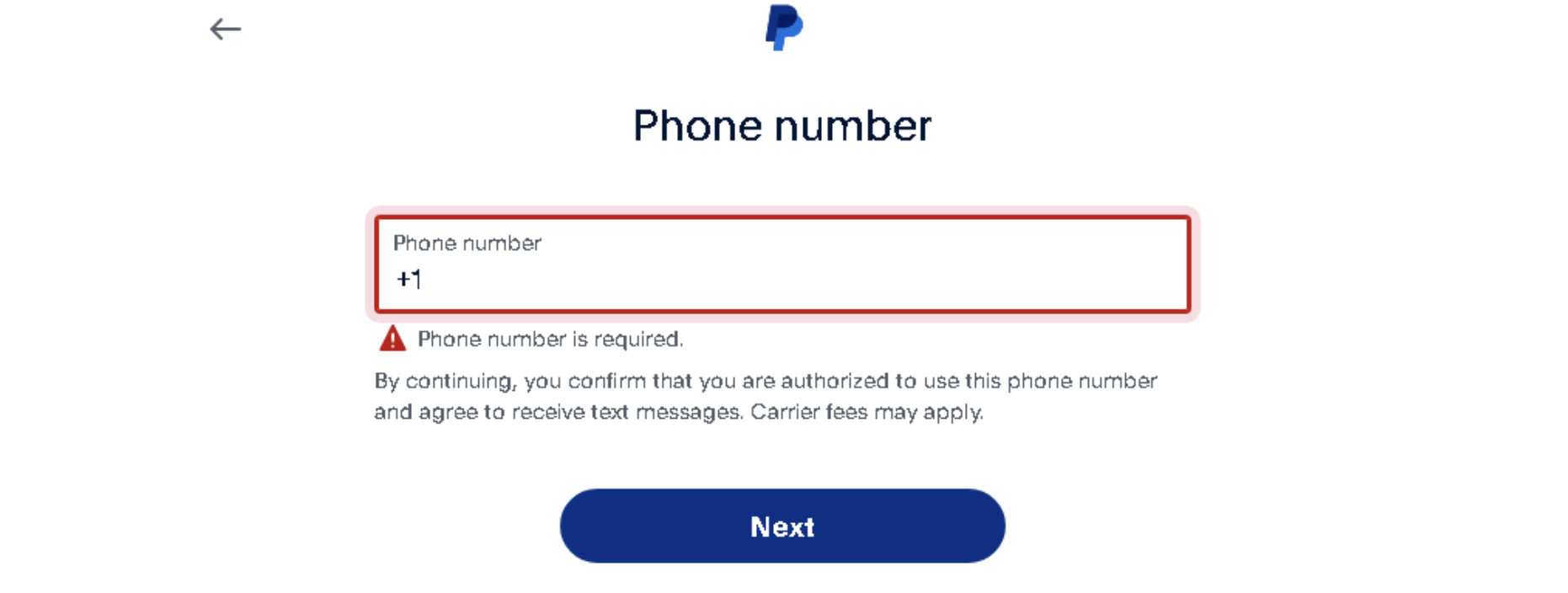
Step 5: Type in phone number
In the next window, the same process, only you need to enter your phone number. This is a mandatory step of registration.
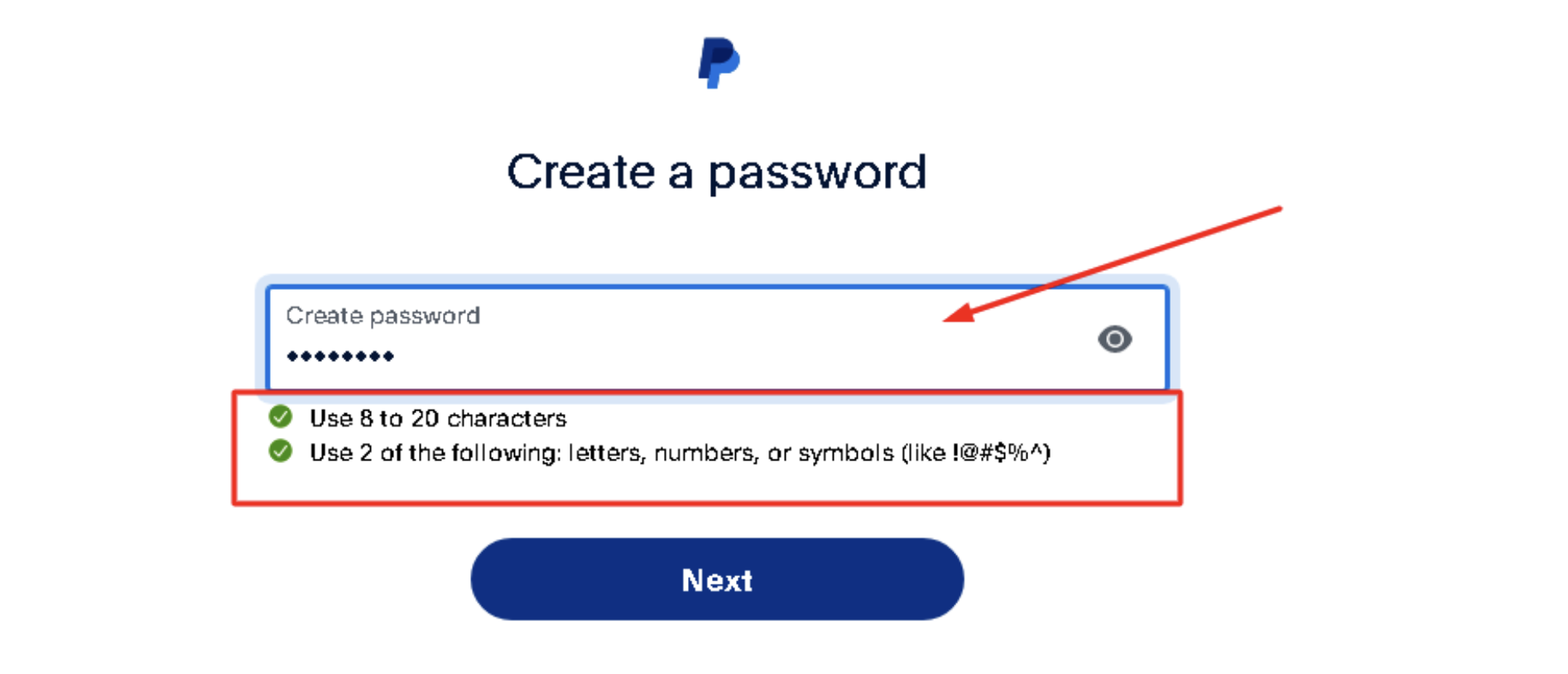
Step 6: Make a strong password
Note that the password must meet the following criteria:
-
more than eight characters;
-
capitalised and small letters;
-
do not use symbols.
You can also generate a strong password using a special service.
Step 7: Enter personal information
You need to set up a PayPal account. To do this, enter your personal information (nationality, full name, date of birth).
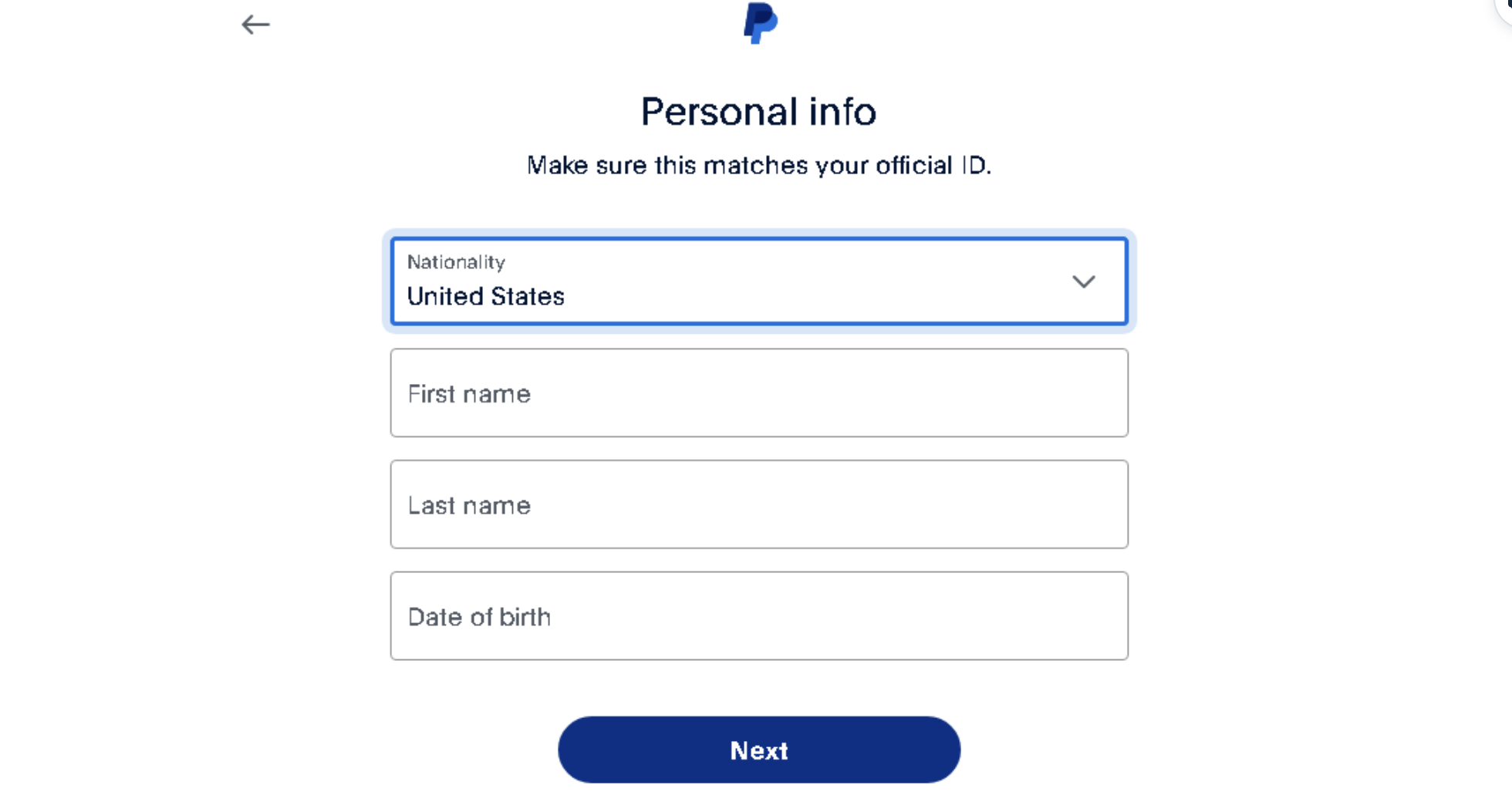
Residence information (address) will also be required at this stage.
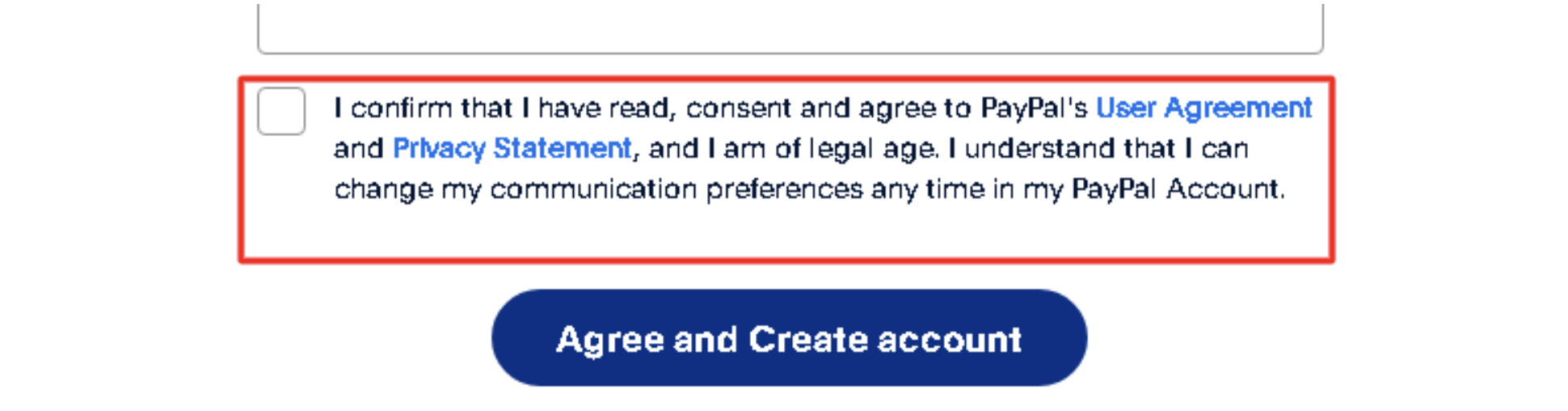
Step 8: Accept the user agreement
Look at the notation at the bottom of the screen. You need to accept the site rules. Before doing so, please read them thoroughly by clicking on the clickable link.
Step 9: Finalize your registration
Open your email and confirm your registration. Then, select your options for using PP. You can skip this step and go straight to linking your card. Now, you know how to create a PayPal account in a few steps.
Ditch the risks—use a LinkPay Virtual Card for total control & instant payments!
💳 Works everywhere | 🔒 No bank needed | 🚀 Instant activation
How to Add a Payment Method
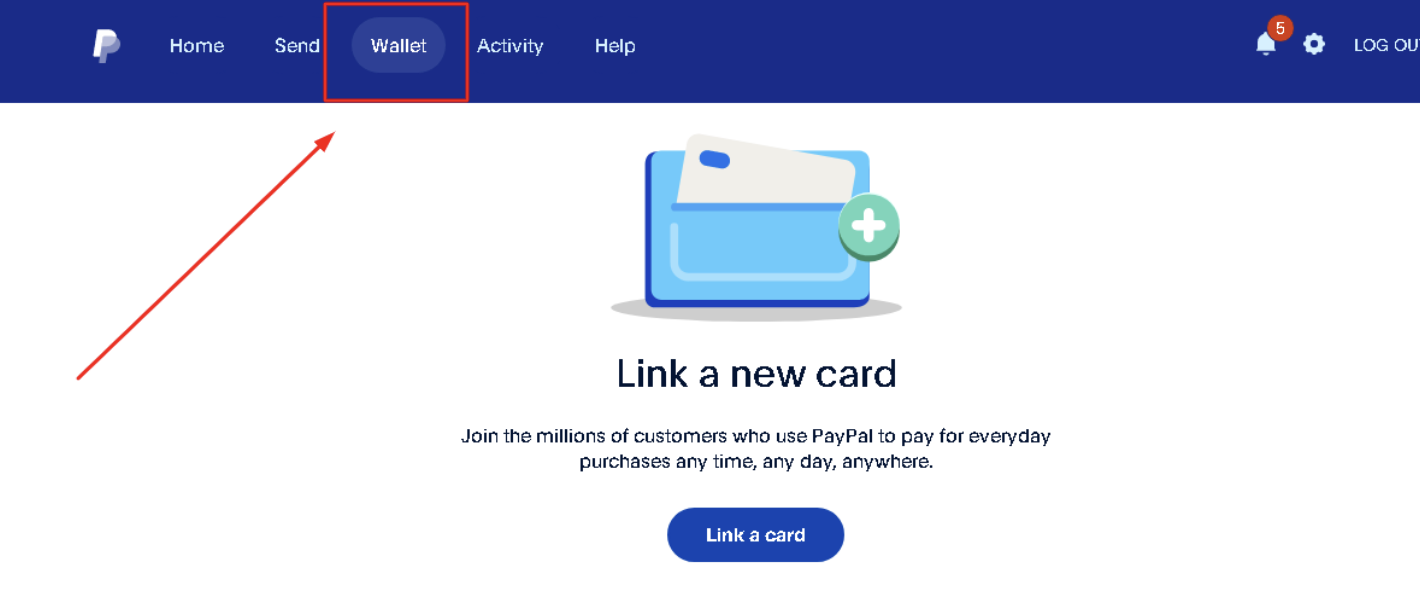
After creating a profile, you need to add a payment method for shopping and sending money. How to get PayPal? You can link a bank card or bank profile. Virtual cards such as LinkPay are also available. Follow the steps below to add a payment method:
-
Open your profile.
-
Go to the Wallet section.
-
Click “Add bank card.”
-
Enter your card details.
-
Complete the process.
Here, you can add any type of card, such as Linkpay virtual credit cards. Now, you can conduct transactions even more securely. No more risks and no more hidden plethora. With this service, everything is fast, easy, and transparent.
Simple Profile Setup Process
The whole process of registering on the platform's website takes a little bit of time. However, even before that, you should pay attention to several things. For instance, choosing the card or bank profile you want to link is crucial. Perhaps it will be a virtual card, such as LinkPay. In any case, once these steps are completed, you will be able to use the platform for transfers or store your money there.
It is impossible to miss the moment with the commission for transactions. Of course, the fee depends on the amount and type of account used. Additionally, there will be a 4.5% currency conversion cost. Thus, the platform continues to develop to improve its services.
Easy Payment Acceptance
Receiving payments is as easy as sending them. Once funds have been credited, you will receive a notification to your phone number or email.
You will be able to keep money in your records to make online purchases. You will also be able to withdraw money to your bank card. For business clients, there is an additional option that allows you to issue invoices to partners.
Conclusion
Registering for a service is an important step for those who want to make secure and convenient online payments. The registration process is simple and intuitive. The platform provides its users with a high degree of data protection and offers a user-friendly interface for managing your finances. Once registration is complete, you will be able to make purchases and send/receive money. Protect your profile from unauthorised access by keeping your password up-to-date, using two-factor authentication, and remembering the security details.
Related Articles
No bank? No stress! Get a virtual card in seconds and start spending like a pro.
💳 Instant approval | 🛡 Secure | ⚡ Works worldwide


